Tag Archives: IOS

Friday the 13th

9 Mar

A day before the ominous Friday the 13th in December last year, my MacBook Air crashed and died. I never saw it coming although there were tell tale signs of instability after installing MacOS Catalina 10.15.1 a few weeks earlier. I caved in and updated because of iTunes and my iPhone XR. To cut a long story short, I had to update the OS in order to have the latest version of iTunes that could sync with the iPhone XR. Otherwise, I could not back up my phone, something that I don’t do that often.

So all was fine and dandy except a few small matters like several of the softwares. The Adobe and Microsoft softwares that I have—essential but not critical—could no longer be used because the versions I have were not supported with the 10.15.1 OS. But since I hardly use those softwares these days and I could back up my iPhone XR, this was all that mattered I rationalized.

On that faithful eve of the ominous day, I had my Skype launched and ready to have the weekly session with M1. Suddenly, the app was acting up and I had to restart the laptop. Several times in fact. A prompt came up and caught my eye – the OS needed to be updated with Catalina 10.15.2.

Reflecting back the several instances of instability and the recent wonky behavior of Skype, I thought perhaps it was best to update the OS. Bad idea, really bad, bad idea.

The laptop could not install the OS and hung several times. A black screen kept appearing with each restart. Uh oh. Even with Global Network Recovery and all the steps I could find online could not save my MacBook! Oh no….

The next day, Friday the 13th I went to Machines, a local authorized Apple reseller to see what could be done. To my dismay, Machines no longer provided support for older devices. Oh no! The apprehension of this ominous day struck.

My 11” MacBook Air is a 2012 model and deemed a vintage device and as such, do not qualify for further technical support. I was advised then to go to a third party repair shop. Do I have a choice at that point?

So off to a third party repair shop I went. Thankfully, these guys fixed the problem (they took a few days though) and I also had all my data recovered for an additional fee. Phew. My MacBook Air is now downgraded to MacOS Sierra 10.12.6 and should remain at this version for optimum performance.

But less than a month after that, the laptop acted up again resulting in the decision to do a total reformat. This was after backing up all the recovered data to an external drive. So so problematic.

While updates are good, it does not necessarily add value to older devices. One should be cautious before doing so, otherwise be prepared for some stress of losing data and then a little hole in the pocket to fix the damage and retrieve the precious.

Hopefully nothing disastrous will happen to my laptop on this ominous date this coming Friday. And I have since been backing up my iPhone XR on iCloud.

Embracing Change

24 Sep

Recently Apple launched their new range of iPhones for 2018/2019. Cool babies I must say but pricey. As for me, I am still with my trusty iPhone5S, adamant not to upgrade or update.

It took me a long time to update from iOS7 in the past. And when I finally did, a whole new world opened for me as far as my phone’s usage was concerned and got me thinking that I should have done it earlier. Oh well.

Currently, my phone’s still on iOS10.3.3 as I held off updating to iOS11 because I didn’t like the new features then when M2 showed them to me on her iPad. Being a dinosaur, I must admit I don’t like change because it’s cumbersome to learn new things.

But now with iOS12 being available and somehow it’s pretty cool especially compared to iOS10.3.3, I don’t mind updating. With the iPhone5S included in the list for the update, I am convinced and decided to take the plunge.

One reason for making this decision is that my phone’s battery has been acting wonky of late. Maybe with the update, the battery drain problem can be stabilized? Nonetheless, the situation is making me wonder if the phone is showing signs that it may not last as long as I would like it to. Shudder…

So if I ever come to the point where I need to change my phone, obviously I’d like an upgrade to one of the new models that were launched. And it’d be good that the dinosaur in me is also prepared to deal with the new iOS12. But until then, let’s not jump the gun to wish for an early death for my faithful phone and just enjoy the new iOS on my current iPhone5S.

Should I Update?

29 Sep

Not too long ago, I finally updated the OS on my iPhone5S to iOS10. I held out for the longest time because of one bad update moment that crashed my iPad Mini and it left me in fear. I had this silly notion that the same fate would happen to my phone, so I remained at 7.1.2 like a dinosaur.

Thankfully nothing tragic happened and I must say I am happy with the performance of my phone with the new OS. There was more space and apps that I couldn’t download before because of OS incompatibility are no longer an issue.

There is a new OS now, the iOS11. And I am just wondering should I update? M2 updated her iPad Mini 4 without problems and gushed that it’s awesome. My iPad Mini, being such an old device has maxed out already for its OS but my phone can still be updated.

Should I? Hmm…

Taking the Plunge

1 Jun

I finally decided to update the OS on my iPhone5S after the prompt to update to iOS10.3.2 came two days ago. 

Two reasons for taking this plunge after holding out for so long – I finally backed up my phone. I didn’t do this previously because of space issues on the laptop and compatibility problems with the old computer but now with a new computer in the office, I have synced my phone to it.

Second reason being, I would like to donwnload some new apps that I was unable to previously because the minimal requirement is iOS 8.0 and my phone’s still at iOS7.1.2! Yes, my phone’s such a dinosaur like me. 

Put it this way, I don’t have Uber on my phone and I think this app is far more important than Candy Crush, which I have deleted from my phone several months ago. Candy Crush Saga is now limited to the laptop only because it’s also gone from the iPad.

Thank goodness after the update, the phone did not have any major issues like my iPad Mini two years ago after its update. Phew! Although I have no regrets holding out for so long, I must admit it’s a timely decision because a lot of my go-to apps have updates. And possibly an older OS on the phone may not be compatible. Well, I don’t need to face this predicament from today onwards.

The App Messed Up

13 Mar

I was quite busy last week at the office so I didn’t have time to update my phone OS to save my Candy Crush Soda game which couldn’t launch at all. On Friday night, the app update appeared again and I tried again.

This time the issue righted itself and I could launch the app without any problems. Yay! It’s fine on my phone that is still on iOS7.1.2. So basically the app messed up and it wasn’t an OS problem that caused unnecessary anxiety for the progress of the game.

And since it’s okay now, the phone remains as is (not gonna update the OS). I may have lost my progress of the daily collection but I can always start all over.

It could have been 203 days like my iPad Mini

So Annoying, Part 2

10 Mar

On Tuesday night I updated my Candy Crush Soda app on my iPhone5S but didn’t get to play the next day because I was rather busy in the office. Then the next night when I launched the game on the phone to play because I used up the lives on my iPad Mini, the app couldn’t launch. Uh oh… What’s going on?

I restarted the phone and the same problem persisted. Oh no…

Is this a sign to make me update my iOS? I am still a dinosaur at iOS7.1.2 because I refuse to update. It’s a long story but the price I pay for this resistance is high. There are many new apps and features of the phone I cannot use because they require at least iOS8. Arghh…

Remember my iPad Mini crashed when I updated to iOS9? Frustrated the daylights out of me. And I somehow felt that if I took this plunge with my phone, the worst will recur. Such negative thoughts!

But now with my precious game rendered useless, I may have to seriously reconsider to update the OS otherwise I will be constantly irked that I cannot collect my daily rewards from Candy Crush Soda on my iPhone5S.

So So Annoying

22 Sep

Two nights ago the annoying iOS9.3.5 struck again on the iPad Mini! I was in the thick of things crushing candies when suddenly, the device just blacked out. Quit the app and blacked out, not once or twice but three times! Man, I was annoyed.

And yesterday morning, again! I just made it pass the challenge of Level 1941 in Candy Crush with four lives to spare when it blacked out, thus the victory was not captured! Aarghh.

It is unfortunate that my iPad Mini, being the first generation model, is too old to update to the new and improved iOS10. So I am stuck with the annoying iOS9.3.5 that is so unstable. It’s almost as if the OS is conspiring with the iPad to stop me from crushing any candies. Hrmph…

This has again reaffirmed my stance for my iPhone5S – maintain the stable iOS7.1.2. I must say I am perfectly happy with it because I don’t face the issues like the iPad is giving me. Furthermore I don’t see why I need all the new stuff that comes with the new OS. What you don’t have, you won’t miss, that’s how I look at it.

So with one device ‘down’, I will be maintaining status quo for my phone. My poor iPad.

Am I Missing Out?

20 Sep

Over the weekend, M2 upgraded her iPhone5C and iPad Mini4 to iOS10 and loved it. When the OS was first released last week, there were a lot of update problems reported with people’s phones becoming bricks. I told her to hold off the update last week until a patch came out which I think did to fix the problem. She’s happy.

As for me? Err… I am still on iOS7.1.2, dinosaur that I am. When iOS8 came out sometime back, I refused to update because I had read somewhere that it wasn’t stable. So I left my phone as is. Then iOS9 came out, I took the plunge and updated my iPad Mini first only to be traumatized by the act because it wiped out my iPad. I know, there is this thing called ‘backup’ but it’s complicated.

Fearing the worst for my iPhone5S, I held back any further updates for it. And when my iPad went on to iOS9.3.5, I found it to be unstable. This reaffirmed my stance not to update the OS for my phone.

But am I missing out on the new OS’s goodies if I held back? Or am I being paranoid for nothing? She’s been gushing about the new stuff and thinks I should. Hmm…

This is Not a Review of iOS7

26 Sep

Every morning when I wake up, the first thing I reach for is my iPhone to look at the time, then the iPad to play Zookeeper Battle, followed by Candy Crush. This morning is no different from always but I groaned when I saw a prompt on the iPad to update the OS to iOS7!

Oh no! Do I have to?

Two days ago, I gave in to update my iPhone4. Initially I was skeptical to do so, knowing there will be limited features that my phone is capable of; so I wanted to wait it out and hear a little more feedback from friends to be sure before taking the plunge. I am also a creature of habit and don’t like my comfort zone disrupted; my phone being what it is now is a comfort and I am in my zone. But when I did hear nothing but positive raves, I went ahead and updated.

Right after I did the update, I felt so let down. My phone is now so ugly, flat and devoid of depth. I kept comparing it with my iPad to see the difference and without hesitation, decided to not update my iPad for as long as I can.

iOS7-iPhone

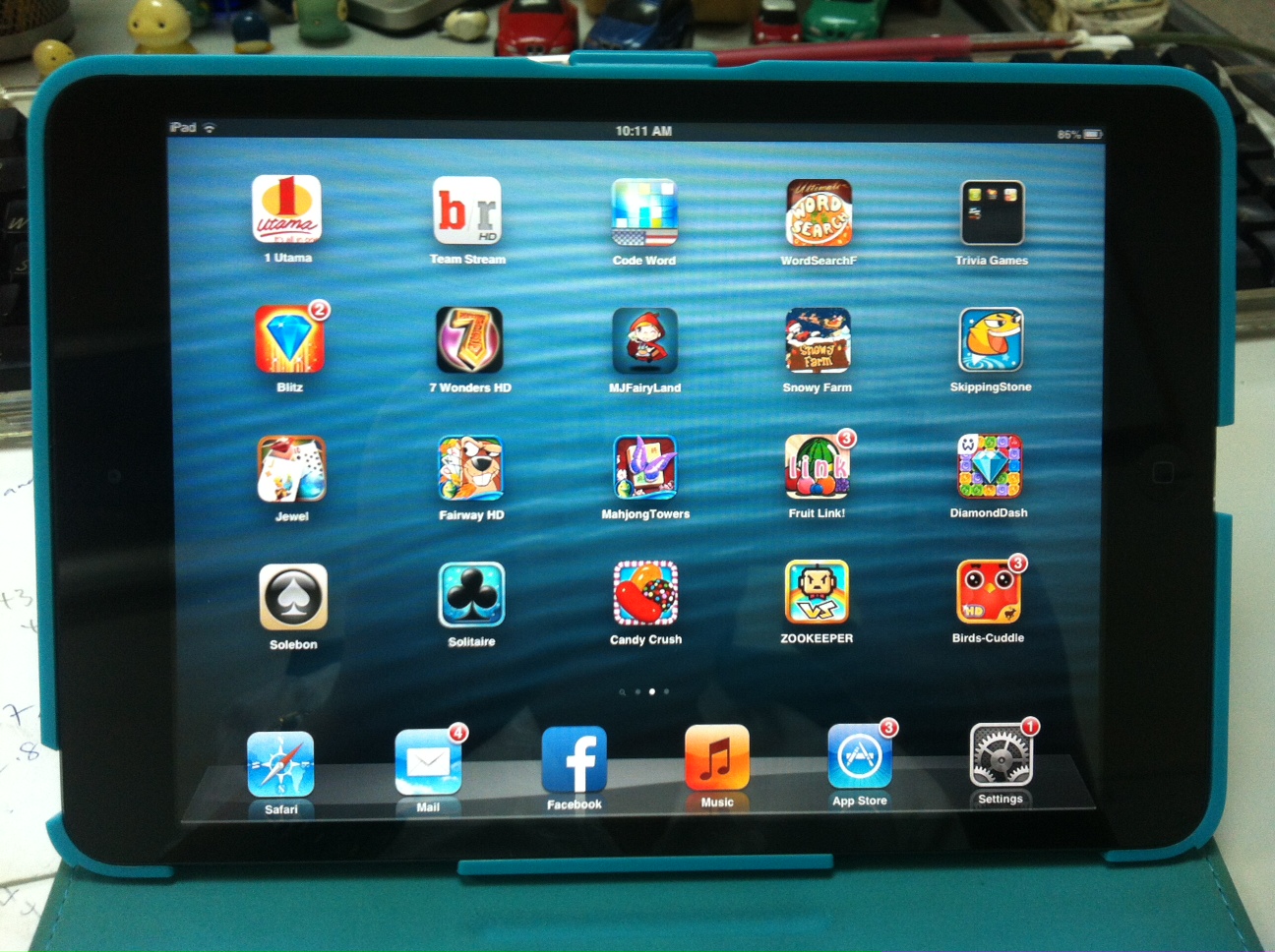
See how flat and unappealing it looks.

iOS7-iPad

So pretty, no?

It didn’t help that on the homefront prior to the update, M2 kept pestering me when will I buy the new phone so that she could inherit the current model. She even dispensed with manners and just came right to the point asking when will I change my phone? When I stared daggers at her, she changed tactic and nagged me at when will I update the OS instead? Hrmph.

That night, I lamented about the flatness of the phone, M2 quickly pounced on it and pointed out that since it’s now ugly, and I don’t like it (and she does) she will just take my phone! Eeesh… The child is just notorious.

But ugly as it is, I have to learn to like it. After all, there’s no turning back to iOS6 (and silly to pay or hack to downgrade) or heaven forbid, consider migrating to an Android phone! So learn I did.

Despite its lack of depth and being so flat in looks, it is nice in terms of operating system, definitely an upgrade. There’s a range of new ring tones besides the many features already reviewed by techies and all out there, so I will not delve in this. It’s the look that I am not used to, it’s so flat. I was horrified to see the message bubble coming out so green, Granny Smith would be envious of the green being more green than their apples. When highlights and depths are taken away, what you end up with is a flat horrid shade that totally lacks character. Having said that, the iMessage blue is no better.

Also, I miss the green felt in GameCenter. I feel so lost in the new layout.

So will I update my iPad? I think I will wait a while longer.